
Documentation Index
Fetch the complete documentation index at: https://docs.rockxy.io/llms.txt
Use this file to discover all available pages before exploring further.
Manual Setup
Manual Setup gives you the same scoped Rockxy environment as Automatic Setup, but you decide where to run it. Use it when you want to prepare your favorite terminal, shell, script runner, or development workflow by hand.What manual means
Manual Setup means Rockxy gives you the exact command to prepare the current shell session. You copy that command, paste it into the terminal you want to use, and then start your server or script in that same terminal. Manual Setup does not mean weaker capture. After the setup command runs, the prepared process should use the same Rockxy proxy and certificate hints as an automatic terminal session.How to use it
- Open Rockxy.
- Open the Setup menu or Developer Setup Hub.
- Choose Manual Setup.
- Open your preferred terminal app.
- Copy the command from Rockxy.
- Paste it into that terminal and press Return.
- Start your server, script, test runner, or client in the same terminal.
- Trigger a request and confirm the traffic appears in Rockxy.
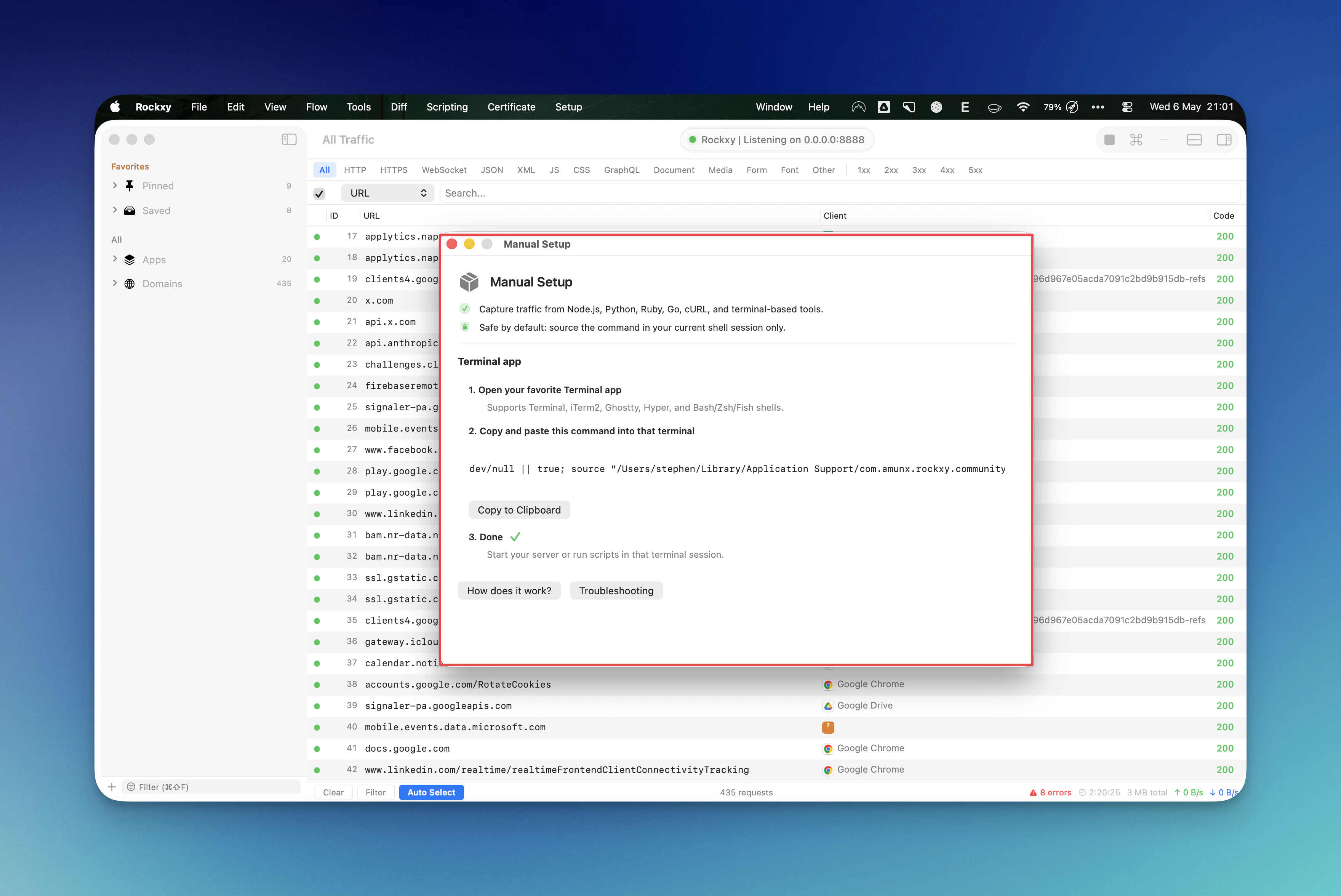
The command
The command shown in Rockxy has this shape:What the command does
The command sources Rockxy’s generated setup script into the current shell session. That script can export values such as:HTTP_PROXYHTTPS_PROXYALL_PROXY- lowercase proxy variants used by many command-line tools
- certificate environment hints when Rockxy has an exported root certificate path
Manual Setup affects the current terminal session. It does not permanently edit
.zshrc, .bashrc, .bash_profile, or macOS Network settings.Supported shells and terminals
Manual Setup is designed for common macOS terminal workflows, including:- Apple Terminal
- iTerm2
- Ghostty
- Hyper and other terminal apps
- Bash, Zsh, and Fish-style workflows when the shell can source a compatible script
source, open a standard Zsh or Bash session, run the command there, and launch the target process from that session.
When to choose Manual Setup
Manual Setup is the better choice when:- you already have a working terminal layout,
- you use a terminal app Rockxy does not launch,
- you want to run the setup command inside an existing project directory,
- your workflow requires extra environment variables,
- or you want to keep the setup steps visible for debugging.
What to run after setup
After the command finishes, run the target process from the same terminal. Examples:Related pages
Automatic Setup
Let Rockxy open a prepared terminal or browser session for you.
Automatic Setup Troubleshooting
Diagnose missing traffic, HTTPS errors, and stale setup sessions.
Capture Issues
Continue here if Rockxy still does not show traffic.
Certificates and Trust
Finish HTTPS trust setup before debugging secure requests.