
Documentation Index
Fetch the complete documentation index at: https://docs.rockxy.io/llms.txt
Use this file to discover all available pages before exploring further.
Filters and Search
The value of a proxy debugger is not just capture volume. It is how quickly you can reduce a noisy session to the handful of requests that explain the bug.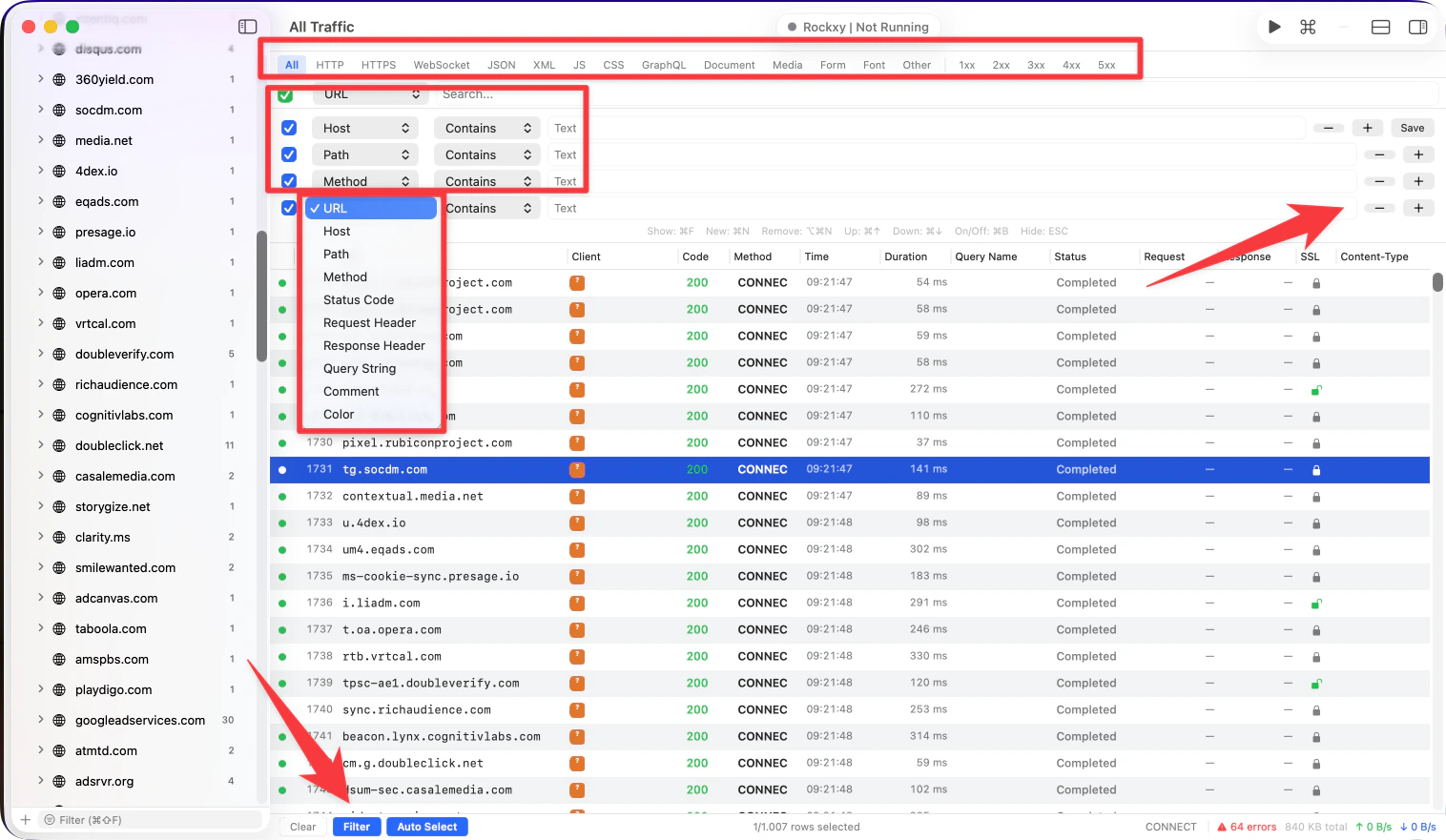
Three levels of narrowing
Rockxy gives you three useful layers of focus:Sidebar scope
Use the sidebar to narrow the session by:- app,
- domain,
- saved or pinned items,
- or a path-focused domain subtree where available.
Toolbar filters
Use toolbar filters when you want to refine within the current scope:- protocol,
- content family,
- status-code range,
- or a more advanced filter expression.
Free-text search
Use search when you already know a clue:- endpoint path,
- host,
- method,
- status code,
- operation name,
- or a value that appears in the request URL.
Practical debugging patterns
Find one failing API call
- scope to the app or domain,
- filter to error status codes,
- search for the endpoint name or path segment,
- open the request and inspect timing plus response body.
Isolate GraphQL traffic
- scope to the relevant API host,
- filter to GraphQL or JSON-oriented traffic,
- inspect operation names and payloads in the request body.
Clean up mobile device noise
- scope to the app or host you care about,
- block or filter analytics endpoints if needed,
- save the useful requests so they survive session cleanup.
Workspace tabs are part of filtering
Workspaces are not just UI tabs. They let you preserve multiple filtered investigations at once. Examples:- one tab scoped to app traffic,
- one tab for error-only requests,
- one tab for a single domain under active replay,
- one tab kept clean for HAR export.
When to use rules instead of filters
Use filters when you are trying to see the right request. Use rules when you are trying to change what happens to the request. That distinction keeps the debugging loop clear.Related pages
Traffic Capture
Learn the broader capture model around filtering and selection.
Workspaces
Keep multiple filtered investigations open at once.